
Try the app
Tap through BeaverTalk
This is a preview of the real app screens. Tap the glowing spot to move to the next screen.
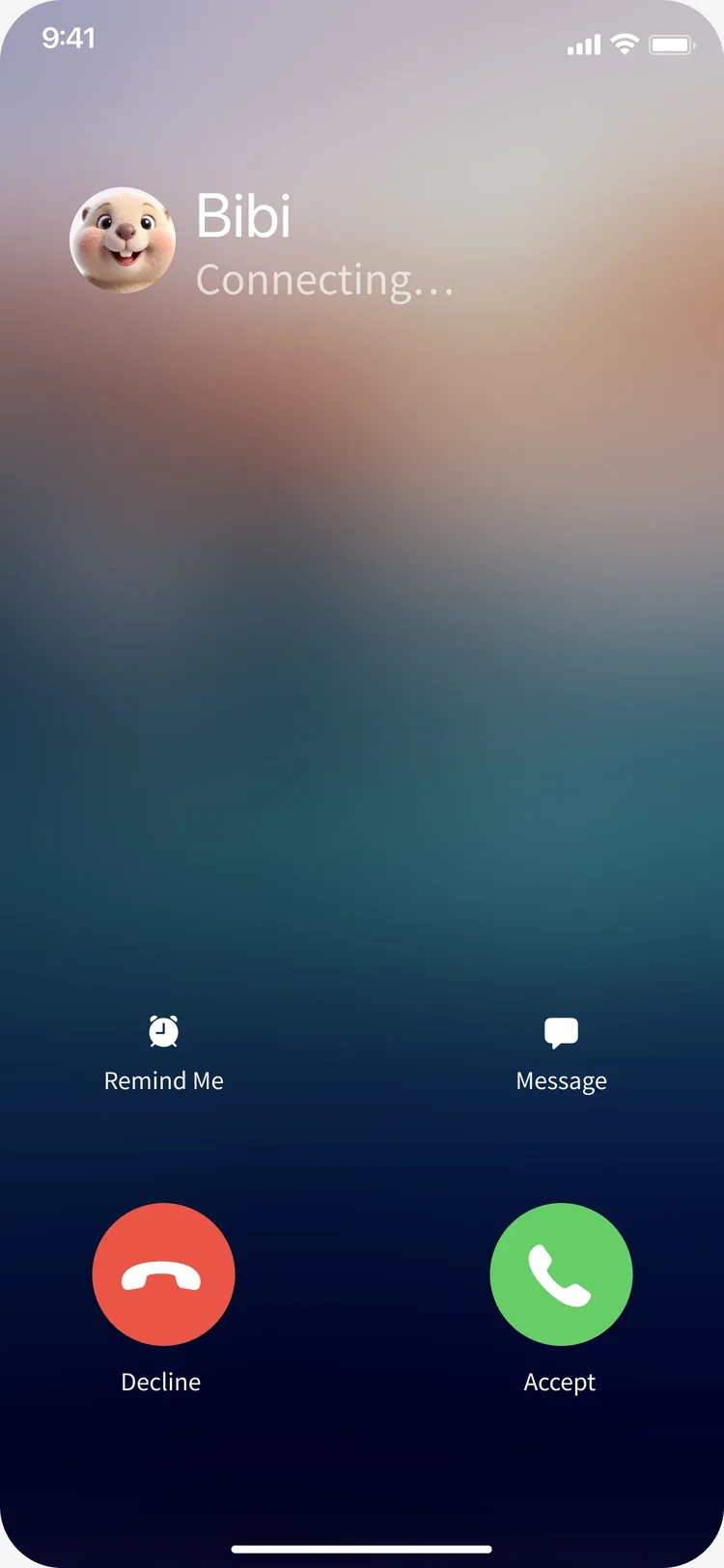
Call Beaver1 / 7
1 / 7
At the time you set, Beaver calls you first. Tap Accept to answer.
Tap the glowing spot
Call Beaver · 7
- At the time you set, Beaver calls you first. Tap Accept to answer.
- Connecting you to Beaver. It usually takes less than 5 seconds.
- Talk with Beaver in Korean, just like a video call. Tap the subtitles button to see what Beaver says as text.
- Beaver's words now appear on screen. If you get stuck, tap the hint button on the left.
- A hint shows an expression you can use right now, in three lines: Korean, pronunciation and meaning. Tap Save to review it later. Tap the red button to end the call.
- Beaver asks once more before ending the call.
- The call is over. Tap See conversation analysis to continue to the post-call analysis.
After the call · 5
- After a call, you get a conversation record. It shows the new expressions from this call and how locals say them. Tap Practice pronunciation to start a review.
- In the review you read sentences from your call out loud. Tap the microphone and read the sentence.
- Words you misread turn red. Tap a word to see what was different.
- Compare the tongue position of your sound and the target sound side by side. Tap Listen to native pronunciation to hear the difference.
- When you finish the review, you get a pronunciation report: your hardest sound, accuracy per sound and results per sentence.
Sounds for your accent · 6
- Based on your accent analysis, BeaverTalk picks sounds that speakers of your language often miss, and sounds you missed in recent calls. Tap the recommended sound to start.
- Step 1, Understand. See the tongue position and how to make the sound, then listen to the target. Tap Practice words to move on.
- Step 2, Words. Listen to a native speaker and repeat four words in turn. You can slow it down to 0.75×.
- Step 3, Sentence. Build the sentence from the end, one chunk at a time, and repeat it.
- Step 4, Test. Read a new sentence without native audio and get scored. You can retry as many times as you like.
- Your test score updates this sound's accuracy. Go back to the list to practice another sound.